

A clothing e-commerce product page is the digital equivalent of the product display in a physical shop. Advertising and social media may bring a visitor to your website, but the product page has to provide enough information and confidence for the visitor to buy.
Why the Product Page Matters
A product page brings together the images, price, sizes, colours, description, purchase controls and delivery information for one item. A clear structure helps customers understand the product without searching elsewhere on the site.
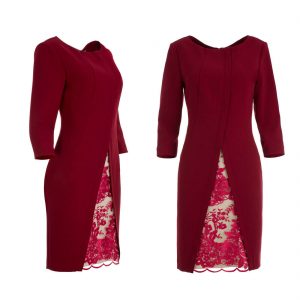
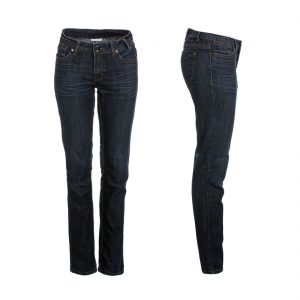
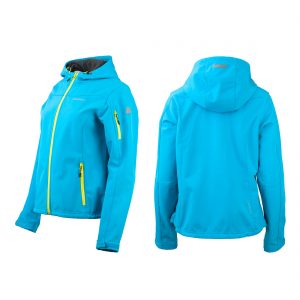
7 Essentials for a Clothing E-commerce Product Page
1. A complete product name
Include the brand, product type and the information needed to distinguish the item from similar products. A descriptive name is more useful than a short internal label.
2. Professional product images
Clothing photography should show the garment clearly, with consistent lighting, colour and framing. Depending on the collection, this can include flat lay, model photography, ghost mannequin or a combination of formats.
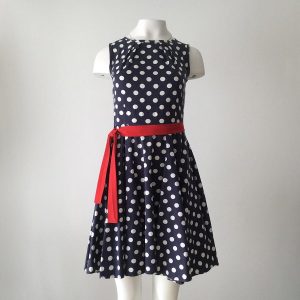
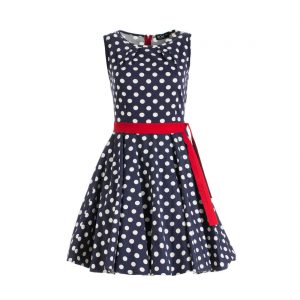
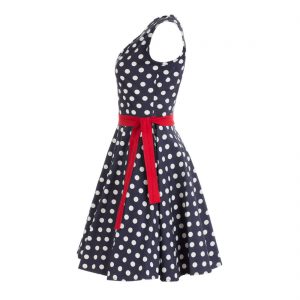
Weak images can hide the strengths of a garment. Consistent professional images make the cut, colour and details easier to evaluate.
See our clothing photography service and guide to clothing photography styles.
3. Clear pricing
Show the current selling price clearly. If a genuine discount applies, the original price and the discount should be easy to understand without distracting from the product information.
4. Sizes and colour options
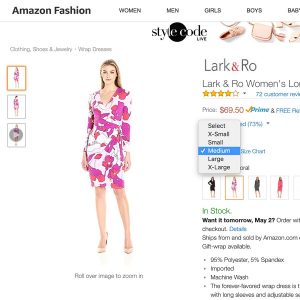
Show the available sizes and colour options clearly. If a model is shown, state the size worn in the images when that information is useful. A size guide should be easy to open without forcing the customer to leave the product page.
5. A useful description
Describe both the benefits and the practical details of the garment: composition, materials, fit, care instructions and other relevant specifications. The description can also explain the design idea or the occasions for which the item is intended, but the factual product information should remain easy to find.
6. A clear Add to Cart action
The purchase button should be visually prominent, easy to identify and clearly labelled. It should work well on both desktop and mobile and should not compete with unnecessary visual elements around it.
7. Delivery information
Make essential delivery information available from the product page. If order tracking is provided, say so clearly so customers know what to expect after purchase.
Review the Page as a Customer
Before publishing a product, check whether a customer can understand the item, choose a size and colour, see the price, review delivery information and add it to the cart without having to search elsewhere.
For product visuals, see our clothing photography service, pricing, or contact us.